Category: WooCommerce / WordPress
WCAG Accessibility in WordPress and WooCommerce
For years, accessibility in e-commerce was treated as a niche requirement, relevant mainly to public institutions or heavily regulated industries. Today, that approach is no longer sustainable. With increasing legal pressure, higher user expectations, and growing awareness of inclusive design, WCAG accessibility has become a core quality standard for modern digital commerce. This is especially true for platforms built on WordPress and WooCommerce, which power a significant share of the global e-commerce market. Accessibility is no longer just about compliance. It directly affects SEO performance, conversion rates, usability, and long-term scalability. For businesses running WooCommerce stores on WordPress, ignoring WCAG requirements often means introducing hidden risks that grow over time technically, commercially, and legally.
What WCAG really means for WordPress and WooCommerce
WCAG, or Web Content Accessibility Guidelines, define how digital products should be designed and developed so they are usable by people with a wide range of abilities. In the context of WordPress and WooCommerce, accessibility is not limited to text content or visual contrast.It affects the entire system: themes, plugins, custom blocks, checkout flows, navigation patterns, and dynamic components. Many WordPress-based e-commerce sites fail WCAG requirements not because of one major flaw, but because of dozens of small, accumulated issues. Missing semantic structure, inaccessible forms, poorly implemented JavaScript interactions, and inconsistent component behavior are common problems. Over time, these issues create friction not only for users with disabilities, but for all users – including search engines.
Accessibility, SEO, and discoverability are closely connected
Search engines interpret websites in ways that are surprisingly similar to assistive technologies. Screen readers and crawlers both rely heavily on semantic HTML, clear content hierarchy, meaningful headings, and predictable navigation. When a WooCommerce store follows WCAG principles, it often becomes easier for search engines to understand, index, and rank its content. Accessible WordPress sites tend to have cleaner markup, better internal linking structures and more consistent page templates. These qualities improve crawl efficiency and reduce ambiguity for search algorithms. In practice, WCAG accessibility supports SEO not as an isolated optimization tactic, but as a structural foundation for sustainable visibility.
Accessibility as a conversion and UX factor
From a business perspective, accessibility directly impacts user experience and conversion performance. Accessible WooCommerce stores are easier to navigate, easier to understand, and easier to complete transactions on. Clear labels, logical tab order, readable text, and predictable interactions reduce cognitive load for users – not only for those using assistive technologies. Checkout processes are a common accessibility bottleneck. Poorly labeled form fields, inaccessible error messages, and keyboard traps can prevent users from completing purchases. These issues often go unnoticed in standard QA processes, yet they directly translate into lost revenue. WCAG-compliant checkout flows are typically more robust, more resilient, and easier to scale across markets and devices.
WordPress flexibility vs. accessibility debt
One of WordPress s greatest strengths, its flexibility, is also one of its biggest accessibility risks. Page builders, third-party themes, and plugin-heavy architectures can quickly introduce inconsistencies and accessibility debt. In WooCommerce environments, this debt grows faster due to the complexity of product listings, filters, dynamic pricing elements, and promotional components. Accessibility cannot be added later with a plugin or overlay. While automated tools can help identify some issues, real accessibility requires architectural decisions made at the theme, block, and component level. This includes how custom Gutenberg blocks are built, how templates are structured, and how dynamic data is rendered and updated.
WCAG compliance and legal risk in e-commerce
Regulatory pressure around digital accessibility is increasing globally. Laws and directives referencing WCAG standards are being actively enforced, particularly in Europe and North America. For e-commerce businesses, non-compliance is no longer a theoretical risk. Legal claims related to inaccessible websites are becoming more common, and remediation under legal pressure is significantly more expensive than proactive implementation. WordPress and WooCommerce stores are not exempt from these requirements. In fact, their widespread use makes them frequent targets for accessibility audits and complaints. Treating WCAG as part of ongoing technical governance rather than a one-time project helps reduce long-term risk and avoids costly last-minute fixes.
Accessibility, performance, and scalability go hand in hand
Accessibility improvements often align closely with performance optimization and scalable architecture. Server-side rendering, reduced JavaScript dependency, consistent component systems, and predictable data loading patterns all benefit both accessibility and speed. Faster WooCommerce stores are easier to use for people relying on assistive technologies and more competitive in organic search results. From a technical perspective, accessible systems are easier to maintain and extend. Clear structure, reusable components, and well-defined interaction patterns reduce the likelihood of regressions when new features are added. For growing e-commerce platforms, this stability becomes a strategic advantage.
Accessibility as a strategic capability, not a feature
The most successful WordPress and WooCommerce platforms treat accessibility as an ongoing capability rather than a checklist item. This means embedding WCAG principles into design systems, development standards, and content workflows. It also means educating teams so accessibility is considered early, not retrofitted late. When accessibility becomes part of how decisions are made rather than something checked at the end it stops being a constraint and starts becoming a quality multiplier.
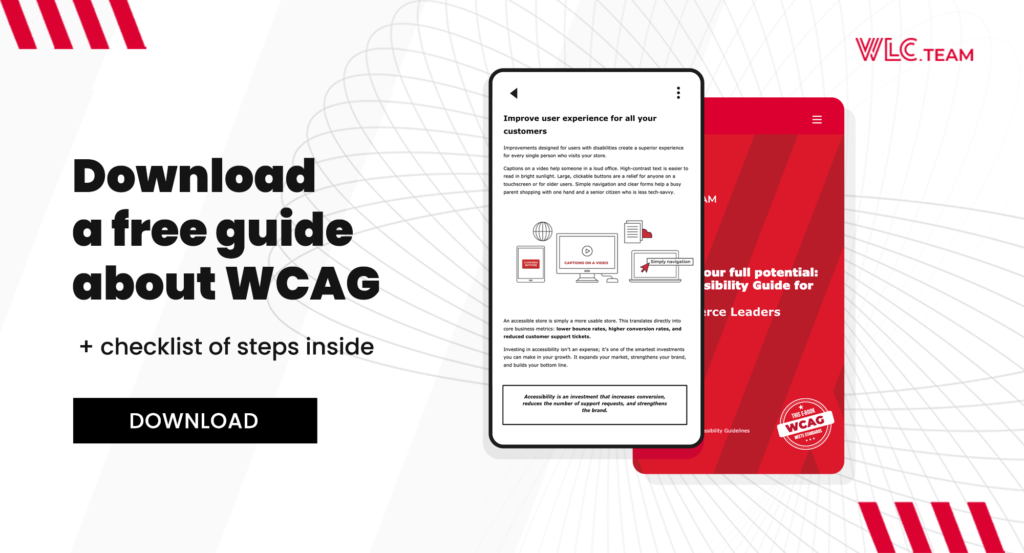
Learn more: download the Full Accessibility Guide for E-commerce Leaders
This article only scratches the surface of how WCAG accessibility affects WordPress and WooCommerce at scale. If you want a deeper, practical understanding of how accessibility connects with architecture, performance, SEO, and long-term platform ownership, we’ve prepared a comprehensive guide for e-commerce decision-makers. You can download the full e-book, “Unlock Your Full Potential: An Accessibility Guide for E-commerce Leaders” and explore real-world insights, patterns, and strategic recommendations for building accessible, scalable e-commerce platforms on WordPress and WooCommerce. You can also schedule a free WCAG audit of your online store or website.